
A buyer’s guide for small property operators, facilities coordinators and owner-managed service companies. Work orders help people describe what needs attention. Approvals answer a different question: who is allowed to commit money, under what ceiling, based on which evidence, and what happens when the scope changes?
A lightweight log can be sufficient for a handful of vendors. A full maintenance-management system becomes more valuable when several people need live assignments, recurring inspections, asset history or mobile field reporting. The mistake is buying a large platform to solve a small approval problem, or using a tiny local tool to run an operation that truly needs team coordination.
Commercial disclosure: TailorScan LLC sells the optional $19 Property Maintenance Approval & Vendor Control Desk mentioned below. Third-party references are ordinary non-affiliate links. We reviewed vendors’ published pricing and feature descriptions, not every product hands-on. Updated October 2026.
The first seven controls in a property maintenance approval workflow
- Request identity: Assign a unique job reference, location, requester, and date. Keep private tenant and resident details in approved systems.
- Scope: Describe the requested task and distinguish diagnostic visits from approved repair or maintenance work. Never let an unclear scope become blanket authorization.
- Vendor quote: Record the quoted amount, exclusions, expiration date, and separate options. A quote is evidence for a decision, not the decision itself.
- Spend authority: Identify the budget owner, dollar ceiling and review rule before authorizing a purchase or contract.
- Exceptions: Capture emergency situations, extra work, revised quotes and the person who approved each change.
- Delivery verification: Confirm what was completed using appropriate completion records, photos or sign-off evidence when permitted.
- Financial reconciliation: Match authorized scope to actual invoice charges. Flag variances instead of silently assuming cost savings or net profit.
These are operational recordkeeping suggestions, not property-law advice, a replacement for emergency procedures, or instructions for technical repairs.
Three levels of software, and when each makes sense
| Choice | Best fit | What to watch |
|---|---|---|
| Free spreadsheet and checklist | Owner approving a few routine vendor jobs, limited staff, no live collaboration requirements | Manual evidence collection, access control, version tracking and remembering approval limits |
| One-time local approval desk | Someone who wants a repeatable local work-order/quote/approval review without a cloud subscription | Not a shared live database, field dispatch system, contract signer or automated financial control |
| CMMS / cloud maintenance management | Several employees, recurrent work, asset history, task assignments, mobile apps or integration requirements | Per-user subscription costs, migration effort, permissions, feature-tier limits and implementation expenses |
What do real CMMS plans currently cost?
For context, MaintainX lists a free Basic tier that includes unlimited work orders and requesters with limits on repeating jobs and procedures. Its Essential plan is listed at $20 per user/month billed annually, or $25 monthly. Its Premium tier is $65 per user/month billed annually, or $75 monthly, with purchasing and parts features. These services solve substantially more than one isolated approval task.
UpKeep lists Essential at $24 per user/month, Premium at $55 per user/month, and custom-priced higher plans. Features vary by tier, and some implementation services are charged separately. Always check the vendor’s latest contract terms, minimums and feature list.
Practical illustration: at a hypothetical three paid users, MaintainX Essential billed monthly at $25/user is $75/month, or $900 for twelve months before taxes and discounts. An offline one-time approval tool at $19 is a different category. Comparing only dollar totals, without functionality and labor implications, would be misleading.
Our lightweight option: an owner-reviewed approval record
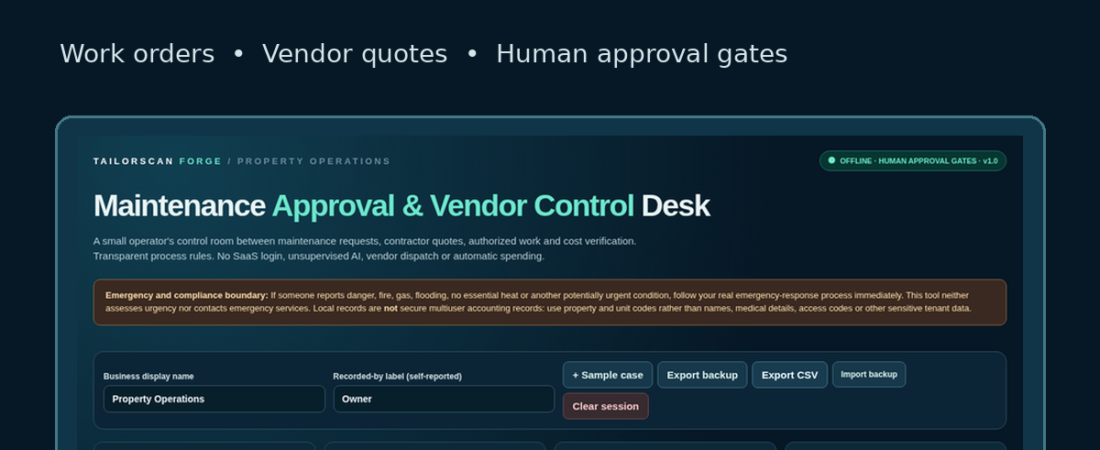
TailorScan Forge Property Maintenance Approval & Vendor Control Desk is an active $19 one-time digital download for small property owners and facilities teams reviewing work orders, vendor handoffs and owner cost approvals. Its current buyer ZIP is attached to the store listing.
It is intended for a local, human-reviewed process. It does not autonomously authorize purchases, send vendor instructions, execute service agreements, connect to banks or replace cloud-wide maintenance management. View the listing’s current scope, compatibility, license and download terms before purchasing.
For repeated groundskeeping service planning, the separately sold Property & Grounds Operations Desk is listed at $12 once. Choose the smaller tool that actually covers your needs; a simple spreadsheet may already be enough.
A no-software vendor approval checklist
Copy these fields into a private spreadsheet before adopting anything new:
- Request ID, property, date and requester
- Task description, urgency, and what is specifically excluded
- Vendor name or internal department, quote version and validity period
- Budget code, requested amount and approval ceiling
- Decision maker, decision date, status and exception reason
- Work completion evidence and scope deviation
- Invoice amount, differences from approval and responsible reviewer
If an emergency creates a health, life-safety or property-protection issue, use your organization’s emergency procedures first, not a general-purpose approval worksheet. Follow all relevant contracts and local rules.
Frequently asked questions
Is a free CMMS better than a $19 offline tool?
Often, if you want shared cloud work orders. MaintainX Basic currently offers a meaningful free starting point. An offline tool may fit better when the job is a single owner’s structured approval record and cloud features would add unnecessary complexity. Evaluate the free tier first.
Does this tool let a contractor authorize their own change order?
No. Approval authority must remain with the customer or designated owner. The tool is a review aid, not a binding authorization or digital-signature service.
Does a cost-saving estimate prove profit?
No. Avoid confusing a proposed budget reduction with settled invoice savings or net company profit. Those require evidence of actual charges and complete costs.
Which option should I choose?
Start with the checklist. If you need repeatable local vendor control, review the optional $19 local tool. If several staff need shared assignments, compare the free and paid CMMS tiers directly with the vendors.
TailorScan LLC is the publisher and owns the products linked here. External links are ordinary, uncompensated vendor references as of publication. Public prices may change. This is independent educational comparison material, not a tested feature-equivalence claim or guaranteed financial outcome. Read our editorial and affiliate standards.