

TAILORSCAN RESEARCH JOURNAL / REPAIR & CONSUMER TECHNOLOGY / OCT 2026
Right-to-repair laws are expanding, but the best next step for a failing device still depends on evidence: support, safety, warranty and total cost.
As an Amazon Associate I earn from qualifying purchases. This article includes Amazon category links and courses; we may earn from qualifying affiliate purchases. Please verify prices, models and compatibility independently.
A laptop starts overheating. A phone battery no longer lasts the day. A printer needs a proprietary part. The familiar recommendation is to replace the device, but that can discard value in the screen, chassis, ports, memory and other components that still work.
In 2026, the repair-or-replace choice has acquired a new dimension: access to the tools, information and parts needed to make repair economically practical. Several U.S. states now have consumer-electronics repair provisions with different scopes, while the refurbished-device market offers another route between expensive new equipment and uncertain secondhand listings.
This is not a promise that every device can be fixed, or that a law guarantees a particular repair. It is a method for making a more informed decision with the equipment you actually own.
1. What changed in 2026, and what did not
Connecticut’s right-to-repair provisions under Public Act 25-44 took effect July 1, 2026. The law covers qualifying electronics and appliances meeting its detailed definitions. For covered products, manufacturers must make certain documentation, functional parts and tools available on fair and reasonable terms. But there are meaningful eligibility conditions and exclusions: qualifying products generally must have been first manufactured and first sold or used in the state on or after that date, and the statute excludes categories including motor vehicles, video game consoles and some industrial or off-road equipment.
It would be misleading to say that “all older Connecticut electronics are now repairable by law.” Check the exact product, date, manufacturer-support circumstances and statutory exceptions. The law also does not require a manufacturer to distribute a device’s source code.
Elsewhere, Colorado’s digital-electronics law took effect in January 2026 and Texas implemented a qualifying consumer-electronics repair law in September. The obligations and product cohorts differ, so a national buyer should not confuse a state-specific right with a universal warranty or free repair entitlement.
For context beyond household gadgets, the U.S. Federal Trade Commission announced a July 2026 settlement regarding Deere agricultural-equipment repair resources, including diagnostics and software-related service functions. That illustrates the broader policy debate about repair access, but the settlement is not a blanket permission to modify consumer devices or defeat safety systems.
Practical implication: Before accepting “parts unavailable” as the final answer, look up the official support resources for your specific model and manufacturer, then check whether applicable repair law changes what an authorized or independent shop can obtain.
2. Repair, refurbished or new: start with the failure class
Not every broken-device symptom belongs in the same decision bucket.
- Consumable or modular problem: a worn battery, obstructed cooling system, failed charger or replaceable storage module may be a candidate for an economical fix if the model permits it.
- Mechanical or cosmetic problem: a cracked hinge, damaged connector or display assembly may be replaceable, but labor, adhesive, calibration and part pairing can dominate the cost.
- Board-level electrical problem: a short, corrosion or failed power section can require bench diagnostics, specialized equipment and experienced technicians. A $20 part does not imply a $20 repair.
- Software, support or security problem: a computer that can no longer receive essential security updates may be unsuitable for important work even when every component is physically functional.
- Safety problem: a swollen lithium battery, burning smell, damaged mains wiring or evidence of overheating changes the priority from saving money to avoiding injury. Stop use and seek qualified help.
The temptation is to buy tools first, then go hunting for a diagnosis. Reverse that. Identify the symptom, find a service manual where lawful and available, and decide whether a repair is safe and feasible before spending.
Start with the right mechanical and ESD safeguards
Precision screwdriver kit

Use correctly sized bits to avoid damaging small fasteners. Check: A tool kit does not make live or battery-damaged circuits safe.
AFFILIATE CATEGORY SEARCH · COMPARE COMPATIBILITYSHOP THIS PRODUCT CLASS · AFFILIATE SEARCH
ESD wrist strap
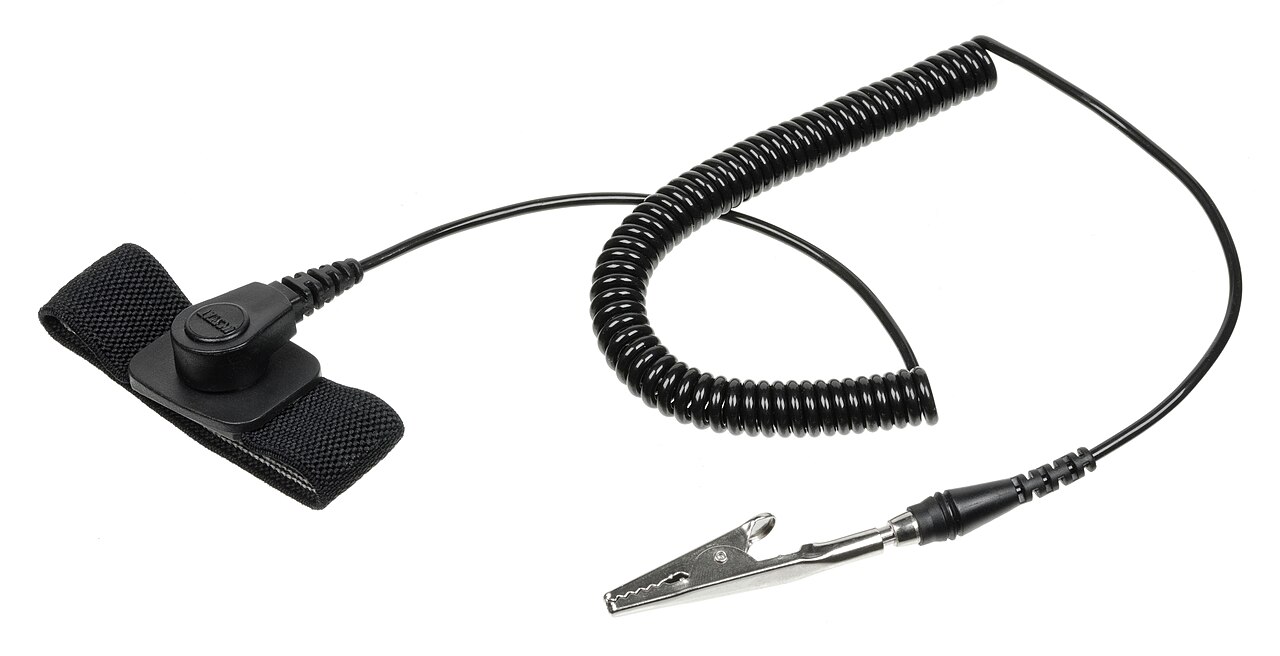
Useful in an appropriate grounded antistatic workstation. Check: Never use as electrical isolation; disconnect power and follow safe procedures.
AFFILIATE CATEGORY SEARCH · COMPARE COMPATIBILITYSHOP THIS PRODUCT CLASS · AFFILIATE SEARCH
3. A seven-check buying test for refurbished electronics
A refurbished device is not automatically a bad device. Nor does the word “refurbished” establish a consistent testing standard. A seller might replace worn parts and document diagnostics; another may only clean and reset a used unit. Treat the label as an invitation to request evidence.
Check 1: exact model and hardware configuration
Ask for the full model number, processor family, memory, storage type and whether components are soldered or upgradeable. A device with an impressive brand name can still have a poor configuration for your intended use.
Check 2: operating-system support
Confirm that the exact processor and model can run an operating system receiving the security updates you need. A refurbished bargain that immediately requires an unsupported workaround may not be a good business computer. Check the manufacturer’s support page rather than trusting “Windows installed” or “latest software” in a listing.
Check 3: battery condition
For laptops and mobile devices, ask whether the battery is original, replaced, tested or simply unreported. Battery runtime depends on workload and age. A claim of “holds charge” is much weaker than a documented battery-health or capacity report. Be skeptical of a replacement advertised without provenance.
Check 4: display, keyboard, ports and wireless testing
Look for evidence of dead pixels, uneven backlighting, keyboard faults, sticky trackpads, charging-port damage and intermittent wireless connectivity. A seller’s generic stock photo does not establish the actual unit’s condition. Ask for clear photographs of the item being sold.
Check 5: identity and security lock
A used machine must not be tied to a prior owner’s account, management enrollment or activation lock. Verify lawful ownership and ensure the seller confirms the machine can be reset and enrolled under your account. A booting screen alone does not prove it is usable.
Check 6: warranty, return window and service route
Read who actually honors the warranty, which failures are excluded, who pays return shipping and how quickly a return must be initiated. “Warranty included” is not sufficient. The Federal Trade Commission advises online marketplace shoppers to check actual listings, seller terms, returns and safer payment methods.
Check 7: total cost after foreseeable repair
Add the asking price to likely battery or storage replacement, shipping, tax, adapters, needed software and potential downtime. Compare that with a suitable new model and a higher-grade refurbished alternative. Your real goal is not the lowest sticker price; it is working, supported service life at an acceptable total cost.
In June 2026 research involving 2,000 U.S. consumers, published by refurbishment company Alchemy and research partner CCS Insight, warranty and return-policy assurances featured prominently in consumers’ confidence about refurbished devices. The study is vendor research and should not be mistaken for a universal market forecast, but its central consumer question is sensible: what evidence supports the seller’s promise?
4. The repair-versus-replace calculation
Use a conservative three-part estimate rather than a simplistic price comparison.
Repair option: diagnostic charge + parts + labor + travel/shipping + probable follow-up cost + downtime.
Refurbished option: purchase cost + shipping/tax + foreseeable upgrades + warranty/return risk + migration time.
New option: purchase cost + shipping/tax + accessories + migration time, minus only confirmed trade-in value.
For example, suppose an existing laptop needs an illustrative $130 repair and has enough remaining support life for your needs. A suitable refurbished replacement might cost an illustrative $310, plus $40 in necessary upgrades. A new replacement might be $610. Those numbers are a worked example, not surveyed 2026 market pricing. The repair appears cheaper only if the diagnosis is reliable and no additional major failure is likely.
Try a repair confidence test: ask the shop what is proven broken, how it was diagnosed, which replacement parts are proposed, whether the quote includes labor and what warranty applies to the repair. If the answer is essentially “we’ll swap components until something works,” the uncertainty needs to be reflected in the decision.
Test before deciding to replace
Digital multimeter
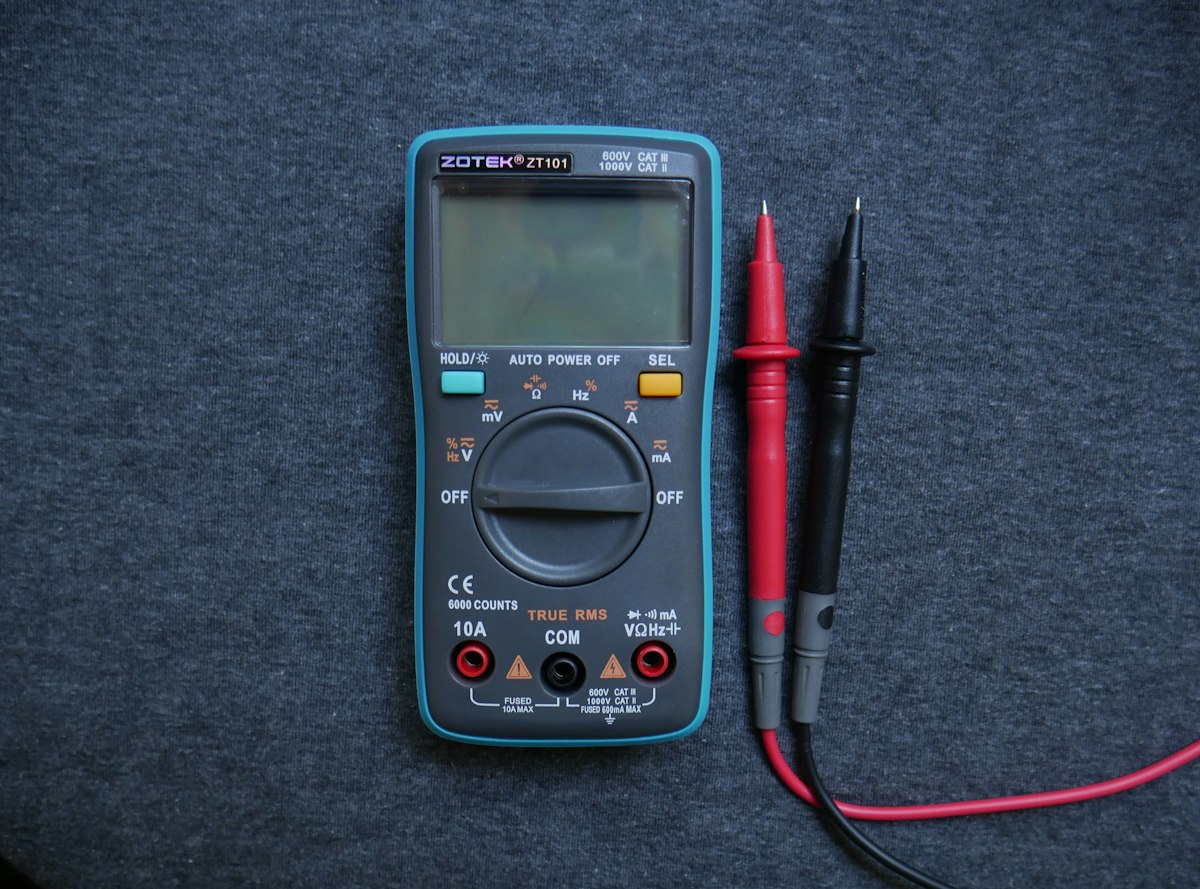
Appropriate for permitted low-voltage diagnosis with training. Check: Voltage category, lead ratings and safety practices still govern.
AFFILIATE CATEGORY SEARCH · COMPARE COMPATIBILITYSHOP THIS PRODUCT CLASS · AFFILIATE SEARCH
NVMe SSD for supported laptops
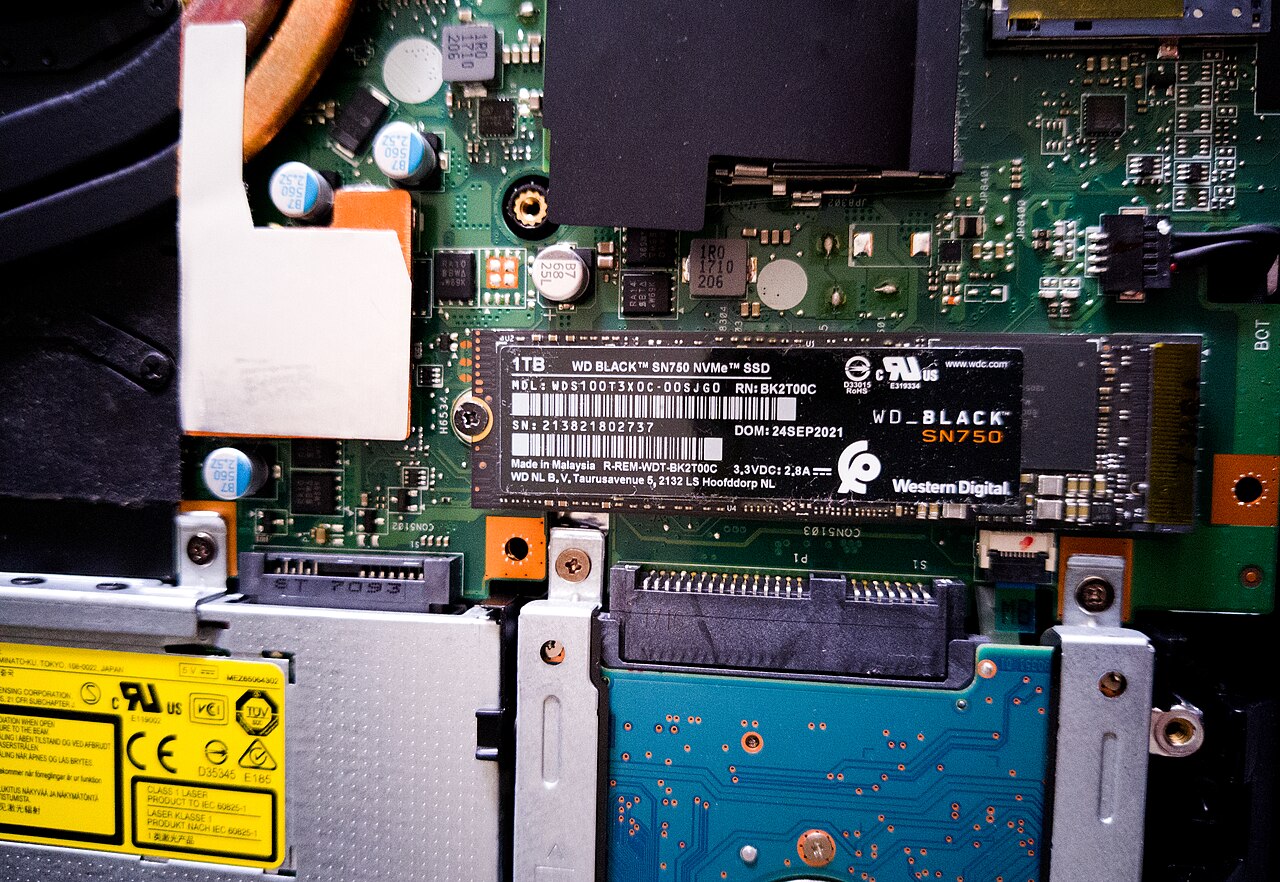
A supported replacement storage module may extend device service life. Check: Many devices have soldered storage; data must be backed up first.
AFFILIATE CATEGORY SEARCH · COMPARE COMPATIBILITYSHOP THIS PRODUCT CLASS · AFFILIATE SEARCH
5. Why “repairable” is not the same as “worth repairing”
A manufacturer may supply parts and manuals while labor still exceeds the value of the device. A component might be available but glued in place, calibrated to the serial number or located behind fragile assemblies. For some devices, security support and data migration are bigger concerns than mechanical repair.
Consider four dimensions:
Access: Are a part, proper documentation and a competent repair route available?
Economics: Is the total expected cost below the value of having a suitable working device?
Risk: Could the attempted repair create electrical, battery or data-loss hazards? Is there a warranty or guarantee?
Future usefulness: Will the repaired device receive security updates and meet performance, accessibility and connectivity requirements?
A right-to-repair law can improve access without resolving the other three dimensions. This distinction is particularly important for small businesses that depend on one laptop or POS terminal to operate.
6. A safe bench starts before the first screw
The most useful beginner practice is often observation, documentation and low-risk maintenance. Back up important data before service. Photograph the device before disassembly, label screws and cables, and keep track of the model-specific instructions. Disconnect external power and follow the manufacturer’s battery-disconnection procedure where safe and applicable.
Do not treat an antistatic wrist strap as protection against electric shock. Avoid opening mains-powered power supplies, CRT displays, high-voltage appliances or swollen lithium battery assemblies. Capacitors can retain dangerous energy after unplugging. For these categories, use a qualified technician.
Protect the device and your data
Microfiber cleaning cloth

Useful for gentle exterior dust and surface maintenance. Check: Avoid moisture in ports and do not use cloth as a substitute for internal servicing.
AFFILIATE CATEGORY SEARCH · COMPARE COMPATIBILITYSHOP THIS PRODUCT CLASS · AFFILIATE SEARCH
External SSD backup drive

Create a restorable backup before any major service work. Check: Test restoration and remember storage is not a complete backup strategy.
AFFILIATE CATEGORY SEARCH · COMPARE COMPATIBILITYSHOP THIS PRODUCT CLASS · AFFILIATE SEARCH
A parts tray and verified backup usually provide more value to a beginner than an expensive soldering station purchased before a specific task requires it.
7. Build competence before attempting board-level repair
Two relevant learning routes are Laptop Repair: Bring Your Laptop Back to Life & Speed It Up, focused on upgrades and laptop troubleshooting, and Electronics Repair & Troubleshooting: A Complete Guide, focused on component-level fault isolation and bench instruments. Both are real course destinations, but not evidence that a learner will be qualified for high-voltage or hazardous battery work.
Review current course content and price before enrolling. Choose the laptop-oriented course for supported storage, RAM and cooling tasks; choose the second when you specifically need a structured electronics diagnostic foundation. No course replaces equipment safety procedures, a manufacturer’s service documentation or professional qualifications where required.
8. The business opportunity behind repairability
Repair access can create legitimate opportunity for independent technicians, refurbishment sellers and equipment-support services. But the durable value is not a generic promise to repair everything. It is disciplined intake, transparent diagnostics, reliable parts sourcing, clear authorization, documented warranty terms and consistent outcome tracking.
A small service business can measure: first-time fix rate, repeat failures, turnaround time, parts availability, customer downtime and gross margin after returns and warranty work. These are more defensible than counting service inquiries alone.
There is a direct connection to industrial maintenance, too. A device or control system can be physically operating while its future replacement parts or support path disappear. Our earlier guide on industrial controller obsolescence covers that separate challenge. Household consumer repair laws should not be casually applied to excluded industrial equipment.
9. The practical decision
Before purchasing a replacement, write down the exact failure, model, remaining software-support horizon, realistic repair quote and availability of a properly warranted refurbished alternative. Check what your state’s law actually covers, but do not let legal headlines substitute for model-specific repair evidence.
Repair can be the smarter choice. Refurbished can be the smarter choice. New can be the smarter choice. The winning decision is the one that produces a safe, supported and dependable machine at a total cost you understand.
A four-stage repairability check
Open each stage to see the decision evidence that matters before buying parts or replacing the device.
Diagnose
Check access
Model costs
Choose
Repair or replace? Compare the numbers
Illustrative cash-cost comparison only. Enter your actual shop quote and replacement options.
$170 less cash for repair in this example
Does not quantify safety, downtime, warranty, data migration or future support. Confirm real prices and device-specific suitability.
Keep the evidence, not just the receipt
Before any repair or purchase, note the exact model, diagnostic evidence, software-support horizon, warranty and total cost. For aging industrial equipment, also read our controller obsolescence guide.
Sources and further reading
- Connecticut General Assembly, Chapter 735b, Repair of Consumer Goods, Sec. 42-110x, effective July 1, 2026.
- Federal Trade Commission, July 2026, FTC, States Secure Settlement with Deere & Company.
- FTC Consumer Advice, Buying From an Online Marketplace.
- Alchemy Research, June 2026, Unlocking Growth in the Refurbished Electronics Market.
- Waste Dive, January 20, 2026, Right-to-repair bills make a comeback in 2026.
Photo credits & licenses
- Precision screwdriver kit: Евгений Шевченко / Unsplash, Unsplash License; resized/rehosted representative toolkit. Hosted editorial media.
- ESD wrist strap: Evan-Amos / Wikimedia Commons, Public domain. Hosted editorial media.
- Digital multimeter: Nekhil R / Unsplash, Unsplash License; resized/rehosted. Hosted editorial media.
- NVMe SSD for supported laptops: Kent Vejrup Madsen / Wikimedia Commons, CC BY-SA 2.0; resized/rehosted. Hosted editorial media.
- Microfiber cleaning cloth: Giorgio Trovato / Unsplash, Unsplash License; resized/rehosted. Hosted editorial media.
- External SSD backup drive: Tony Webster / Wikimedia Commons, CC BY 2.0; resized/rehosted. Hosted editorial media.
- Featured photograph: electronics components editorial image from the existing TailorScan media library, under the Unsplash License.

